


Как сделать видео с собой в стиле GTA 6
Загружаете в нейросеть свою фотографию, получаете картинку, где вы выглядите как персонаж GTA 6, а затем оживляете её видеомоделью. Из этого собирается ролик на 5–10 секунд: вы превращаетесь в героя экрана загрузки или идёте по неоновой улице Вайс-Сити, а камера движется как в игре. Тренд совпал по времени с выходом самой игры: Grand Theft Auto VI поступает в продажу 19 ноября 2026 года на PlayStation 5 и Xbox Series X|S, версия для ПК пока не анонсирована. Ниже разберём два популярных стиля, восемь промптов для картинок и пять для видео (на английском, так модели понимают их точнее), способы оживить кадр и то, что нельзя делать с чужими лицами и чужими логотипами.
Два стиля и что для них понадобится
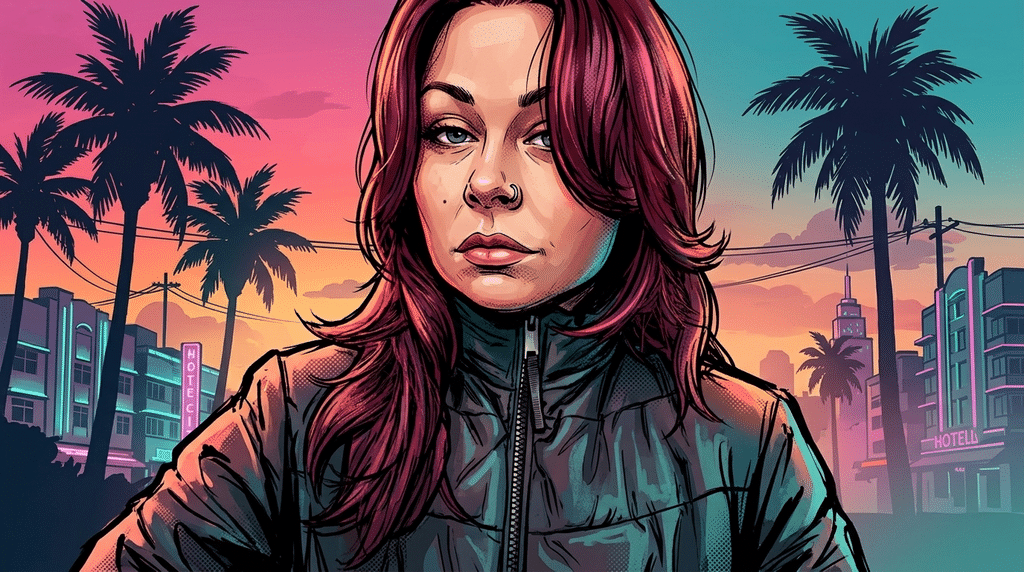
Рисованный «экран загрузки». Персонаж по грудь, смелый ракурс снизу, толстые контуры, плоские насыщенные цвета, закат и пальмы за спиной. Выглядит как обложка из игры, а не как фото с фильтром.
Фотореалистичный «скриншот из игры». Вы выглядите так, будто вас вставили в реальный кадр современной консольной игры: вид из-за плеча, мокрый неоновый асфальт, отражения в лужах. Именно этот вариант сейчас набрал популярность в соцсетях.
Инструменты по задачам. Для картинки подойдут Nano Banana Pro в Gemini (по обзорам, лучше держит лицо и реалистичную картинку), GPT Image 2 в ChatGPT и Midjourney. Для видео нужна модель, принимающая изображение как первый кадр: Kling 3.0, Veo 3.1 или Seedance 2.5. Есть и готовые шаблоны, где всё делается одной кнопкой, например приложение Nano Theft от Higgsfield. Условия бесплатного доступа у всех разные, смотрите на их сайтах.
Фото для старта выбирайте чёткое, с ровным светом на лице, анфас или чуть в сторону, без тёмных очков и рук перед ртом. От этого зависит, узнаете ли вы себя на выходе.
Шаг 1: картинки
Загрузите селфи в генератор и вставьте промпт. Первая строка о сохранении лица нужна, чтобы нейросеть не «улучшила» вас до неузнаваемости. В Midjourney и других сервисах без отдельного поля для негативного промта добавьте ограничения в конец обычной фразой.
1. Портрет на экране загрузки (рисованный стиль)
Use the person in the uploaded photo as the character and keep their face, bone structure, skin tone and hairstyle identical to the photo. Redraw them as a hand-painted Grand Theft Auto VI style loading-screen illustration: chest-up pose with attitude, low camera angle, bold black ink outlines, flat saturated colors with halftone shading, sunset Vice City backdrop of art-deco towers and palm silhouettes, pink and teal sky. Vertical 9:16 frame, face centered.
Negative: photo filter look, extra fingers, distorted face, text, logos, watermark
2. Скриншот из игры (фотореалистичный стиль)
Re-render the person in the uploaded photo as a photorealistic in-game character from a modern open-world crime game in the style of Grand Theft Auto VI. Keep the face identical to the photo. Third-person over-the-shoulder game camera, standing on a wet neon-lit street at night, art-deco storefronts and palm trees behind, puddle reflections, light rain, physically based materials, filmic grade in magenta and teal. No HUD, no on-screen text, no logos.
Negative: cartoon look, plastic skin, face changes, extra people, text, watermark
3. Полный экран загрузки с полосой и подсказкой
Use the person in the uploaded photo as the main character and keep their face recognizable and identical to the photo. Create a full vertical game loading screen in the style of Grand Theft Auto VI cover art: the character in the center with a confident pose, hand-painted look with bold outlines, warm sunset over a Miami-style beach city with palm trees and a pastel skyline. At the bottom edge a thin loading progress bar and one line of small tip text that reads «Welcome to my city». 9:16.
Negative: photo filter look, distorted face, misspelled text, official game logos, watermark
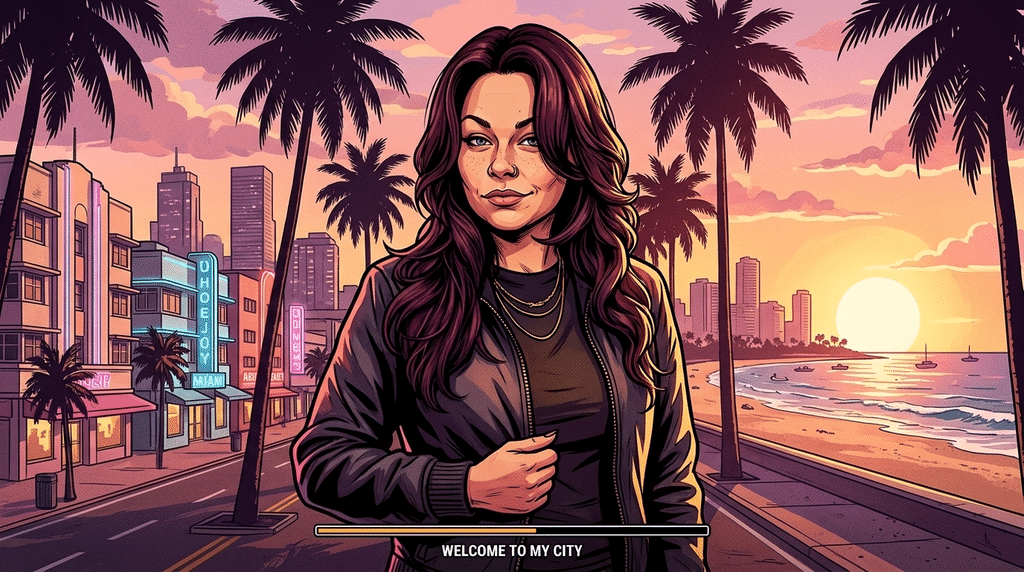
Надписи нейросети часто искажают. Если буквы получились кашей, уберите подсказку из промпта и добавьте её потом в редакторе.
4. Розыскной плакат (шуточный)
Keep the face of the person in the uploaded photo identical. Make a stylized wanted poster in the look of an open-world crime game: the character drawn in bold ink outlines and flat colors, chest-up, a smug grin, sun-faded paper texture, a sunset city skyline and palm silhouettes behind, a banner at the top that reads «WANTED» and a line at the bottom that reads «For stealing hearts». Vertical 3:4.
Negative: weapons, blood, distorted face, extra fingers, official logos
5. Дуэт или компания друзей (только с согласия всех)
Use the two people in the uploaded photo as the characters and keep both faces identical to the photo. Redraw them as a stylish duo in a Grand Theft Auto VI style loading-screen illustration: standing back to back, relaxed confident poses, bold ink outlines, saturated flat colors with halftone shading, golden hour over a beach boulevard with palm trees and a vintage convertible behind them. Vertical 9:16.
Negative: face swap between the two people, extra people, distorted faces, text, logos, watermark
6. Питомец
Turn the uploaded pet photo into a Grand Theft Auto VI style loading-screen character portrait. Keep the animal’s exact fur colors, markings and face. Hand-painted look with bold outlines, a tiny pair of sunglasses and a gold chain, a sunset Miami-style beach backdrop with palm trees. Vertical 9:16.
Negative: changed fur pattern, extra legs, realistic photo look, text, watermark
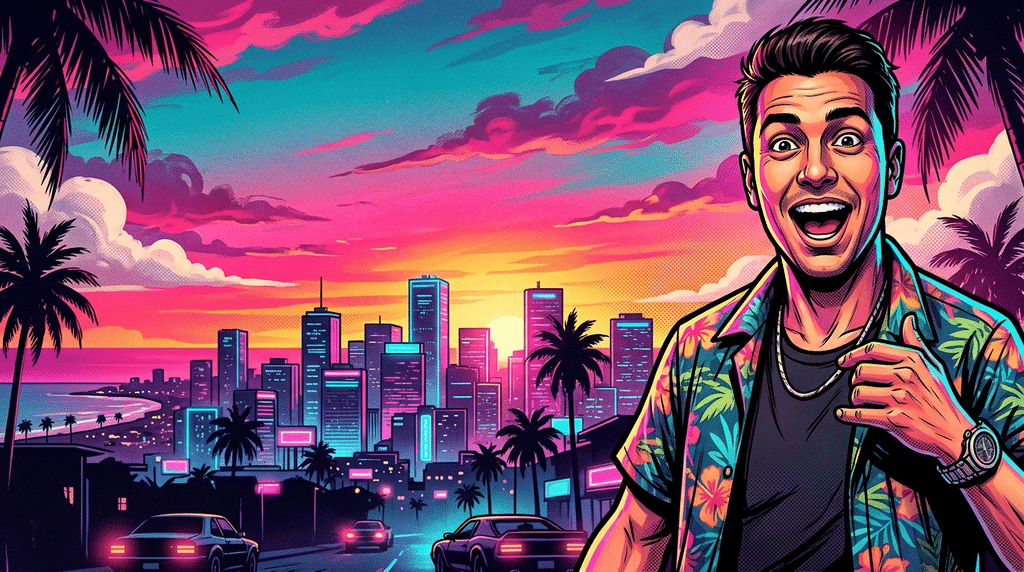
7. Превью для видео (16:9)
Use the person in the uploaded photo and keep their face identical. Create a 16:9 video thumbnail in a Grand Theft Auto VI style cover-art look: the character on the right side with an excited expression, a bold hand-painted comic look, bright pink and teal sunset over a neon city on the left, empty space at the top left for a title.
Negative: text, logos, watermark, distorted face, blurry
8. Первый кадр с игровым интерфейсом (для видео)
Re-render the person in the uploaded photo as a photorealistic third-person game character, keeping the face identical. Over-the-shoulder camera on a neon-lit beach boulevard at dusk. Game interface drawn into the frame: a round minimap in the bottom left corner, a thin health bar in the top left, and a small mission line in the top right reading «Meet at the pier». Palm trees, passing cars, soft sunset glow.
Negative: cartoon look, misspelled interface text, extra people, distorted hands
Интерфейс нарисуйте именно здесь, в первом кадре: видеомодель продолжит его в ролике. Просить её нарисовать интерфейс в движении ненадёжно.
Как менять промпты под себя. Меняйте не всё сразу, а по одной детали.
- Время суток и погода: закат, неоновая ночь, утренний туман, лёгкий дождь.
- Место: пляжная набережная, крыша небоскрёба, мост над заливом, парковка у торгового центра, пирс.
- Одежда: гавайская рубашка, кожаная куртка, белое платье, спортивный костюм.
- Палитра: розовый и бирюзовый, золотой час, пурпур и оранжевый.
- Формат: 9:16 для сторис и Reels, 16:9 для превью и роликов, 1:1 для аватарки.
Шаг 2: оживляем картинку
Загрузите лучший результат в видеомодель как первый кадр. Формат 9:16, длительность 5–10 секунд. Пять рабочих сценариев.
1. Превращение фото в экран загрузки. Положите в первый кадр своё фото, а картинку из первого шага укажите как последний кадр (такая функция есть, например, в Seedance 2.5):
One continuous vertical shot, no cuts. The camera holds on the person from the first frame. A glowing pink line sweeps upward across the frame, and everything it passes turns into a hand-painted game loading-screen illustration at sunset. The person keeps the same face and pose, a slight confident smirk, hair moving in a warm breeze. Smooth motion.
Negative: face morphing, extra limbs, flicker, text, logos
2. Прогулка с камерой за спиной (как в игре). Первый кадр: картинка из промпта 2 или 8.
Third-person open-world video game footage, one continuous take, no cuts. The character from the first frame walks along a neon-lit beach boulevard at dusk. The chase camera stays locked about three meters behind them and never moves in front or turns into a close-up. Palm trees, passing convertibles, light traffic. Keep the face and outfit identical to the first frame.
Negative: movie close-up, camera cuts, face change, extra people, distorted hands, subtitles
3. Поездка в кабриолете.
Third-person video game footage, one continuous take. The character from the first frame drives a vintage open-top convertible along a palm-lined coastal road at golden hour. The camera sits behind and slightly above the car, steady, with a gentle sway as the car takes a long bend. Warm light, lens flare off the water, light traffic ahead. Keep the face and clothing identical to the first frame.
Negative: camera cuts, crash, face change, extra passengers, distorted hands, text
4. Главное меню с медленным поворотом. Первый кадр: портрет из промпта 1 или 3 с надписью PRESS START.
Vertical game main menu screen. The character from the first frame slowly turns their head toward the camera and gives a small confident nod, hair and jacket moving slightly in a warm breeze. The background city lights flicker softly. The menu interface and text stay completely static and unchanged. Keep the face identical to the first frame.
Negative: changing interface text, face morphing, camera movement, extra people
5. Круговой облёт на крыше.
One continuous shot. The camera slowly orbits a full 180 degrees around the character from the first frame as they stand on a rooftop at sunset, overlooking a neon Miami-style skyline. A light wind moves their clothes, birds cross the sky, city lights come on. Smooth cinematic motion, face stays identical to the first frame.
Negative: sudden cuts, face morphing, extra people, flicker, text, logos
Что повышает шансы на удачный результат:
- Подготовьте набор ссылок до видео: фото лица, изображение в полный рост и первый кадр. Тогда модель лучше держит героя.
- Задавайте камеру жёстко: «одна непрерывная съёмка, без склеек», «камера остаётся за спиной на расстоянии трёх метров».
- Просите одно действие за ролик. Лицо чаще «плывёт», когда в кадре много движения и меняется ракурс.
- Делайте несколько попыток и выбирайте лучшую: секунда видео у большинства сервисов стоит заметно дороже картинки, поэтому сначала отшлифуйте первый кадр.
Звук, титры и музыку добавьте в видеоредакторе, например в CapCut. Подпись и название можно набрать текстом поверх: так надпись получится аккуратной, а не искажённой нейросетью.
Что нельзя делать
Использовать можно только свои фото или фото людей, которые согласились. Лицо другого человека нельзя превращать в персонажа без его разрешения, особенно если ролик выходит в публичный доступ.
Работа идёт «в стиле» игры, а не с её материалами. Не используйте официальные логотипы Rockstar, подлинную музыку и кадры из игры, и не выдавайте ролик за официальный. Если собираетесь монетизировать его или использовать как рекламу, права на узнаваемые элементы стиля и названия могут стать проблемой: проверьте правила платформы. Это общая информация, а не юридическая консультация.
Отмечайте, что видео создано нейросетью: на многих площадках это требуется правилами. И помните, что ролик с вашим лицом могут скачать и использовать, поэтому для публичных страниц выбирайте фото, которое не жалко увидеть на чужих ресурсах.


